Close the distraction before it opens.
Stillpoint is a Chrome extension that blocks the sites that eat your day, runs focus sessions from your toolbar and shows where your time goes.
The install link goes live here once it’s approved.
Three steps, then it stays out of your way.
Pick your distractions
Type a site or paste any link. Subdomains are covered, so youtube.com also blocks m.youtube.com.
Choose when
Block them all day, only during focus sessions, or on a schedule like Sunday to Thursday, 9 to 5.
Get to work
Open a blocked site and you land on a calm page that tells you why and when it opens again.
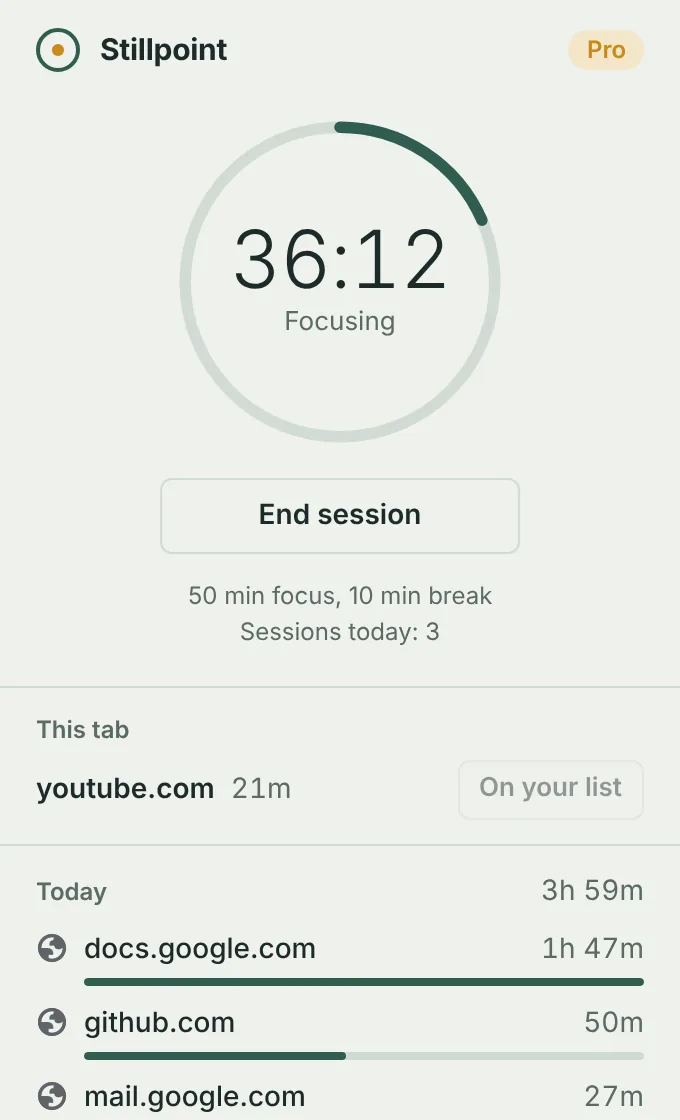
A focus timer one click away
Start a 25-minute session from the toolbar. Your blocked sites stay blocked until it ends, then you get a 5-minute break and a quiet notification.
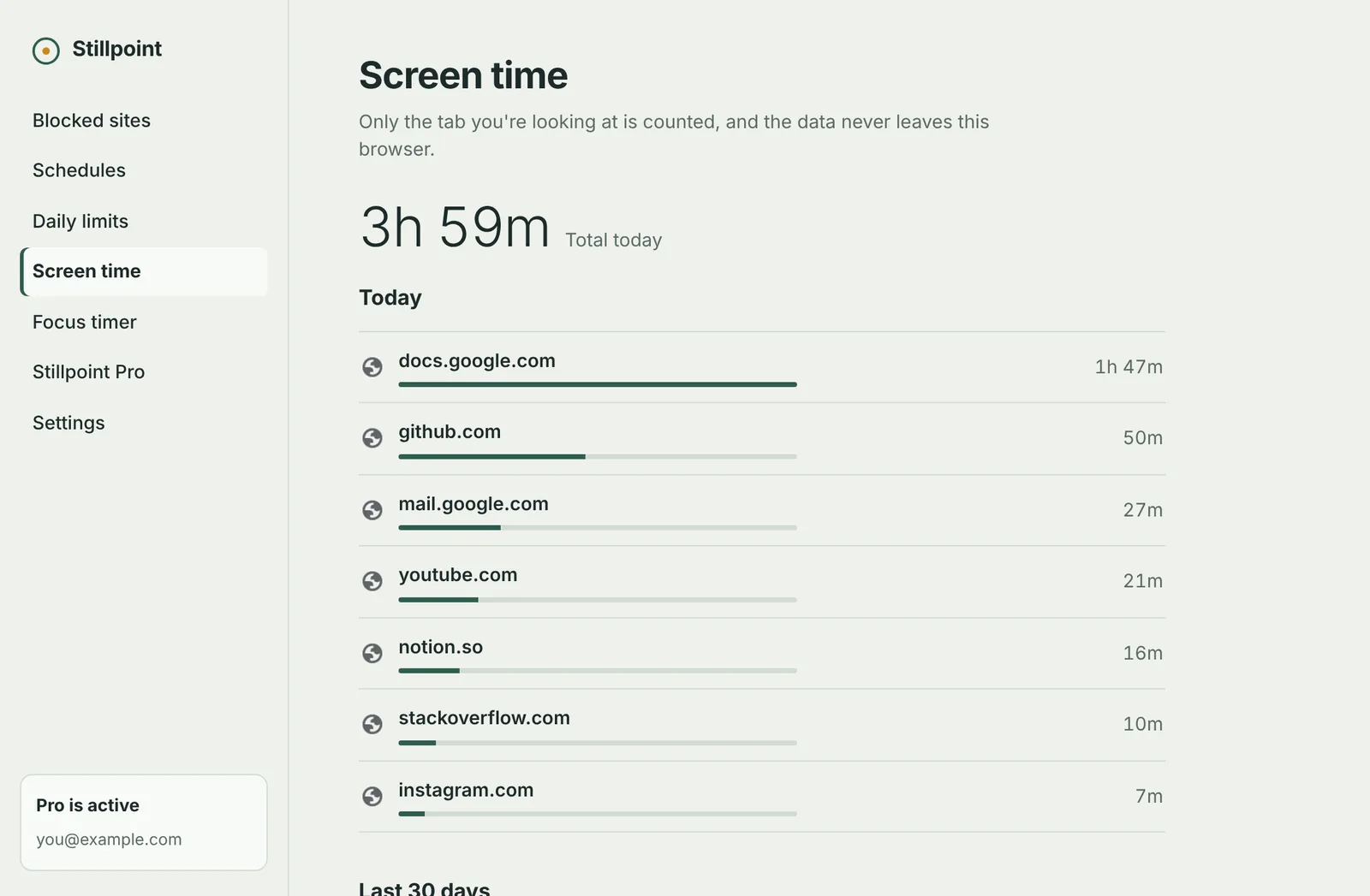
See where your time actually goes
Minutes per site for today, and the last 30 days with Pro. Only the tab you are looking at is counted, and it pauses when you step away.
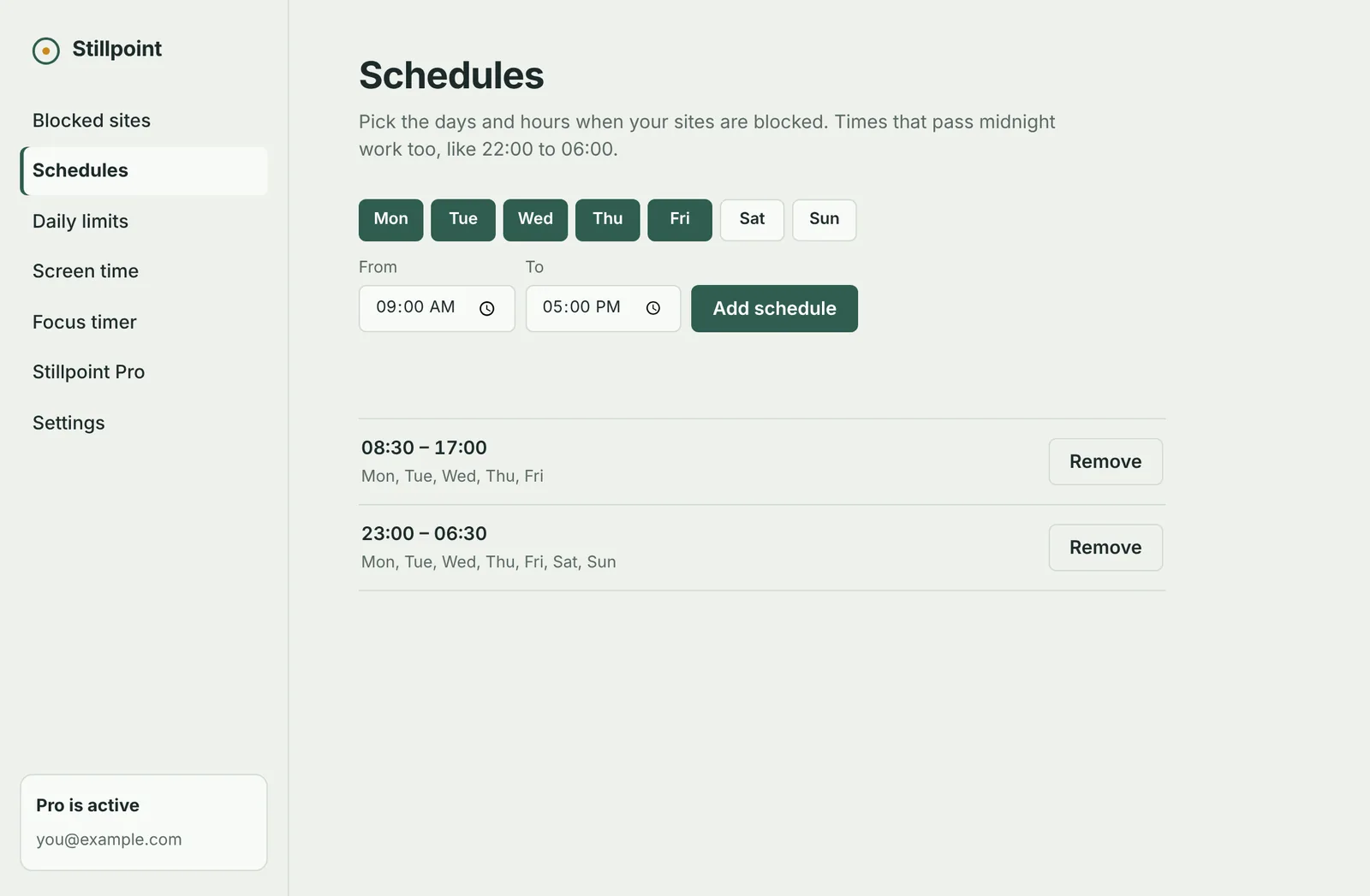
Schedules, limits and strict mode
- Block social media during work or study hours, even overnight
- Allow 30 minutes of YouTube a day, then it closes until midnight
- Strict mode: no removing sites or ending a session early
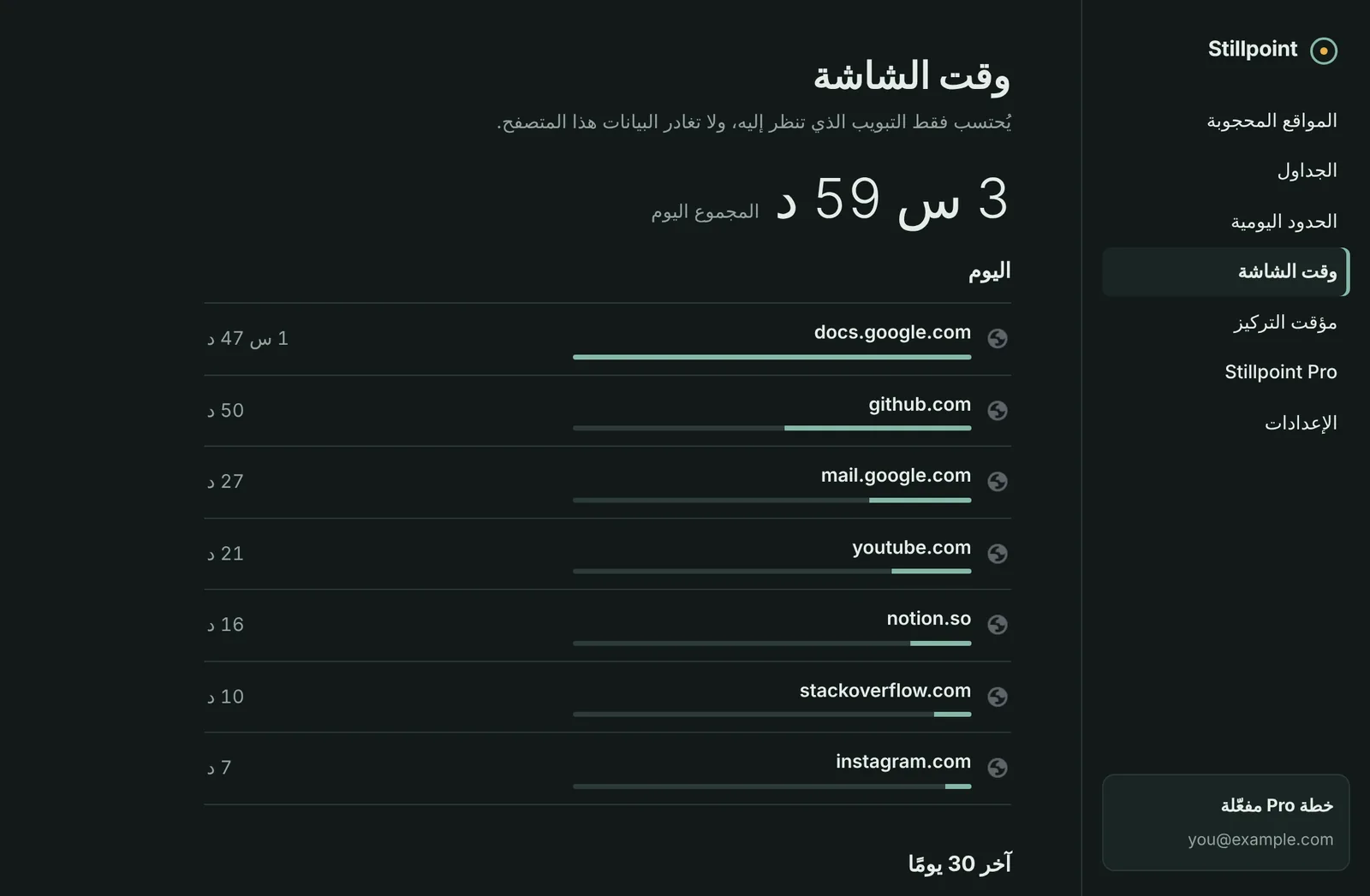
Arabic and English, light and dark
The whole interface switches to right-to-left Arabic and follows your system theme. Pick a language in Settings or let it match your browser.
Free to use. One payment for everything.
No subscription and no account. Pro is yours for good.
Stillpoint
- Block up to 5 sites
- Block always, or during focus sessions
- 25-minute focus timer with breaks
- Today's screen time
- Arabic and English, light and dark
Stillpoint Pro
- Everything in Stillpoint
- Unlimited blocked sites
- Schedules for work or study hours
- Daily time limits per site
- Strict mode
- 30 days of screen time with CSV export
- Your own focus and break lengths
After you buy Pro, a license key arrives by email. Paste it into the Stillpoint Pro page in the extension. One key works on up to 5 browsers. Not happy? Refunds within 14 days, no questions asked. Payments are handled by our reseller, Lemon Squeezy.
Your browsing stays on your computer.
Stored locally
Your block list, settings and screen time live in your browser and nowhere else.
No tracking
No analytics, no ads and no account. We can't see what you browse, and we don't want to.
One small request
The only time Stillpoint goes online is to check a Pro license key with Lemon Squeezy.
Questions
Which browsers does it work in?
Google Chrome and other Chromium browsers such as Microsoft Edge and Brave, on Windows, Mac, Linux and ChromeOS. It doesn't run on phones, because mobile Chrome doesn't support extensions.
Can I get around the block?
Blocking is meant to stop the impulse, not lock you out of your own computer. With strict mode on, you can't remove sites or end a session early from inside Stillpoint. Turning the whole extension off in Chrome's settings is still possible, on purpose.
Does it count time when I'm away?
No. Screen time pauses after a minute without activity, unless the tab is playing audio, like a video you're watching.
I bought Pro on one computer. Can I use it on another?
Yes. One key works on up to 5 browsers. To move it, remove it from one browser on the Stillpoint Pro page, then paste it into the other.
How do I get a refund?
Within 14 days of buying, reply to your purchase confirmation email and you'll get your money back. See the terms.